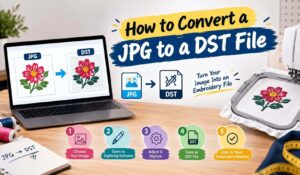
An AI embroidery digitizer is software that reads an image and writes a stitch file from it, without a person plotting every stitch by hand. Upload a logo, wait a minute, download a DST or PES. The tools are real, they are cheaper than they were, and for some jobs they are the correct choice. This guide covers which ones exist in 2026, what they cost, and how to get a file out of them that actually sews.
Quick answer
The main options are Wilcom EmbroideryStudio for commercial work, Hatch for small business, Embrilliance for Mac, SewArt for simple designs and Ink/Stitch for free. Prices run from nothing to several thousand. All of them produce a starting point rather than a finished file, so budget time for corrections.
What An AI Embroidery Digitizer Actually Does
Every AI embroidery digitizer works the same way underneath. First the software analyses your image, finds the edges, groups the colours into shapes, then assigns a stitch type to each shape. It adds underlay, sets a density, works out a sewing order and exports a machine file.
Worth being precise about the word AI here. This is image analysis and edge detection, refined over many years. It is not the generative kind of AI that writes text or makes pictures, and that sort plays almost no part in producing stitch files.
Some tools now also ship assistants that answer questions about the software itself. Useful, but that is help documentation with a chat box, not something that digitizes your artwork.
The Tools Worth Knowing In 2026
Five names cover most of the market. Wilcom EmbroideryStudio is the commercial standard. Advanced auto and manual digitizing, photo stitch, vectorisation, and the deepest control over fills and underlay. The 2026 release added freehand stitch effects and USB WiFi transfer. Expensive and steep to learn, which is the trade.
Hatch is built by Wilcom for smaller operations. It offers auto digitizing several different ways and supports DST, PES, EXP, HUS and VP3. One genuinely useful feature: it recalculates stitches when you resize, so a design keeps its density at a new size rather than gapping or bricking.
Embrilliance is the practical pick for Mac users, where options are thin. Strong at editing and lettering, lighter on full digitizing.
SewArt walks you through a wizard: reduce colours, clean up, map stitches, export. Beginner friendly and honest about its limits, since it leans entirely on auto digitizing and suits simple bold designs.
Tajima DG/ML by Pulse targets industrial shops. Its auto tracing converts images to curves first, then to stitch types, with adjustable colour tolerance and hole recognition. Dealer priced.
What They Cost
An AI embroidery digitizer costs anywhere from nothing to several thousand. Prices below are correct at the time of writing, although they move, so check before buying.
| Software | Cost | Suits |
|---|---|---|
| Ink/Stitch | Free | Patient learners, Mac and Windows |
| SewArt | Trial, then around $75 | Simple bold designs |
| Embrilliance Essentials | Around $159 | Mac users, editing and lettering |
| Hatch | Around $149 to $1,099 by tier | Small business |
| Wilcom EmbroideryStudio | Commercial pricing | Production shops |
Hatch offers a 30 day trial, which is the sensible way to find out whether auto digitizing handles your kind of artwork before committing.
Free AI Embroidery Digitizer Options
Ink/Stitch is the serious free choice. It runs as an extension inside Inkscape, exports real machine files including DST and PES, and works on Mac as well as Windows. You can see the current feature set on the official Ink/Stitch site.
The catch is the learning curve. Here you work in vectors and stitch parameters with no wizard holding your hand. If you are patient and slightly technical, you can do a great deal without spending anything.
Web based converters promising instant results from any image are a different matter. Most produce output that looks acceptable on screen and then falls apart on fabric. Therefore test one on a real garment before you trust it with a client job.
How To Get A Usable File Out Of One
Whatever AI embroidery digitizer you pick, the single biggest factor is what you feed it. Clean vector art or a sharp high contrast image with flat colours converts well. A blurry screenshot with gradients does not, and no setting fixes that.
After the tool runs, check four things in order:
- Underlay. Auto files use generic underlay. Replace it with contour underlay under satin columns and edge walk plus zigzag under large fills.
- Density per object. Stable twill wants roughly 0.4 to 0.5 mm on fills, stretch pique closer to 0.6 to 0.8 mm. Adjust per shape, not globally.
- Stitch path. Automated pathing jumps across open fabric because it is optimising colour order. Reroute those travels under areas already stitched.
- Small text. Anything under about 5 mm tall usually needs rebuilding by hand whatever the software claims.
Then stitch one sample on the actual garment. Not quilting cotton, the real thing. Our note on digitizing images for embroidery covers what artwork converts cleanly in the first place.
Where Every AI Embroidery Digitizer Struggles
The pattern stays consistent across every tool, free or expensive, because software cannot know things nobody told it.
Your fabric is invisible to it. So is the finished size, which means it cannot decide which details to drop. Nor can it tell that the wobble in your logo is a scanning artefact rather than a design choice. Meanwhile, when artwork is ambiguous, it guesses confidently instead of asking.
Complex artwork makes all of this worse. For example, subtle colour transitions, overlapping elements, photographic shading and fine texture all confuse edge detection, which then produces messy fills and odd stitch angles.
We went into the wider question of what this means for the trade in our piece on whether AI can replace embroidery digitizers.
When An AI Embroidery Digitizer Makes Sense
Reach for an AI embroidery digitizer when the design is simple and the stakes are low. Basic monograms, block text names, two colour shapes on stable fabric, personal projects, and anything you are stitching once for yourself.
It also earns its place as a first pass on volume work. Let the software do the rough conversion, then correct it. In fact most working digitizers already do exactly this rather than starting from a blank canvas.
Skip it for caps, applique, 3D puff, small lettering, stretch fabrics and anything running across hundreds of garments. In those cases a bad file costs you on every piece, which wipes out the saving very quickly.
Choosing Between Software And A Service
Buying an AI embroidery digitizer makes sense if you digitize regularly, enjoy the technical side and have time to learn. The tools are genuinely capable now, and the free option costs nothing but hours.
A service makes sense instead if you digitize occasionally, or the work is specialised, or your time is worth more than the fee. In that case there is no learning curve and no subscription sitting on your card.
At Fast Digitizer, digitizing starts at $9 and turnaround is ASAP. Files arrive in the format your machine needs with a worksheet listing stitch count, colour sequence and finished size. Our custom embroidery digitizing page covers applique, puff and cap work, and our guide on how to digitize a logo for embroidery shows what the manual process involves.
Auto file did not sew right?
Send us the artwork and the garment. We will tell you whether it needs a fix or a rebuild.
Frequently Asked Questions
Is there a free AI digitizer for embroidery?
Ink/Stitch is the main one. It is free, open source, runs inside Inkscape and exports real machine files including DST and PES. SewArt offers a trial before its low cost licence. Free tools handle simple designs well and need more correction on anything complex.
Can ChatGPT create embroidery files?
No. A chat assistant can tidy artwork or explain the process, but it cannot output DST or PES. Digitizing means building stitch objects with density, underlay, pull compensation and a sewing order, which needs embroidery software rather than a language model.
What is the best program to digitize embroidery?
Wilcom EmbroideryStudio for commercial production, Hatch for small business, Embrilliance for Mac users, SewArt for simple designs and Ink/Stitch if your budget is zero. There is no single best, only the right fit for your volume, platform and patience.
Can AI digitize embroidery?
Yes, in the sense that auto digitizing produces a working stitch file from an image. Whether it produces a good one depends entirely on the artwork and the design. Simple shapes and lettering come out well. Complex logos, small text and specialty techniques do not.
Can AI be used to create embroidery designs?
Two separate things get mixed up here. Image generators can produce artwork you might then digitize, though watch the copyright position on what they output. Auto digitizing converts existing artwork into stitches. Neither one designs a production ready embroidery file end to end.
Is an AI embroidery digitizer good enough for client work?
For simple jobs on stable fabric, often yes, provided you check the file and sew a sample first. For caps, applique, small lettering or anything running across hundreds of garments, treat the output as a draft rather than a deliverable.
About Fast Digitizer. We are a Chicago based studio digitizing logos, caps, applique, puff and chenille designs for embroiderers across the United States. Our team builds every file by hand and delivers it with a production worksheet. See our full range of professional embroidery digitizing services or send your artwork for a free quote.