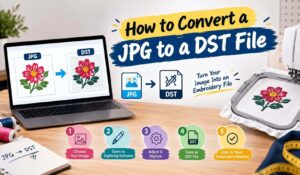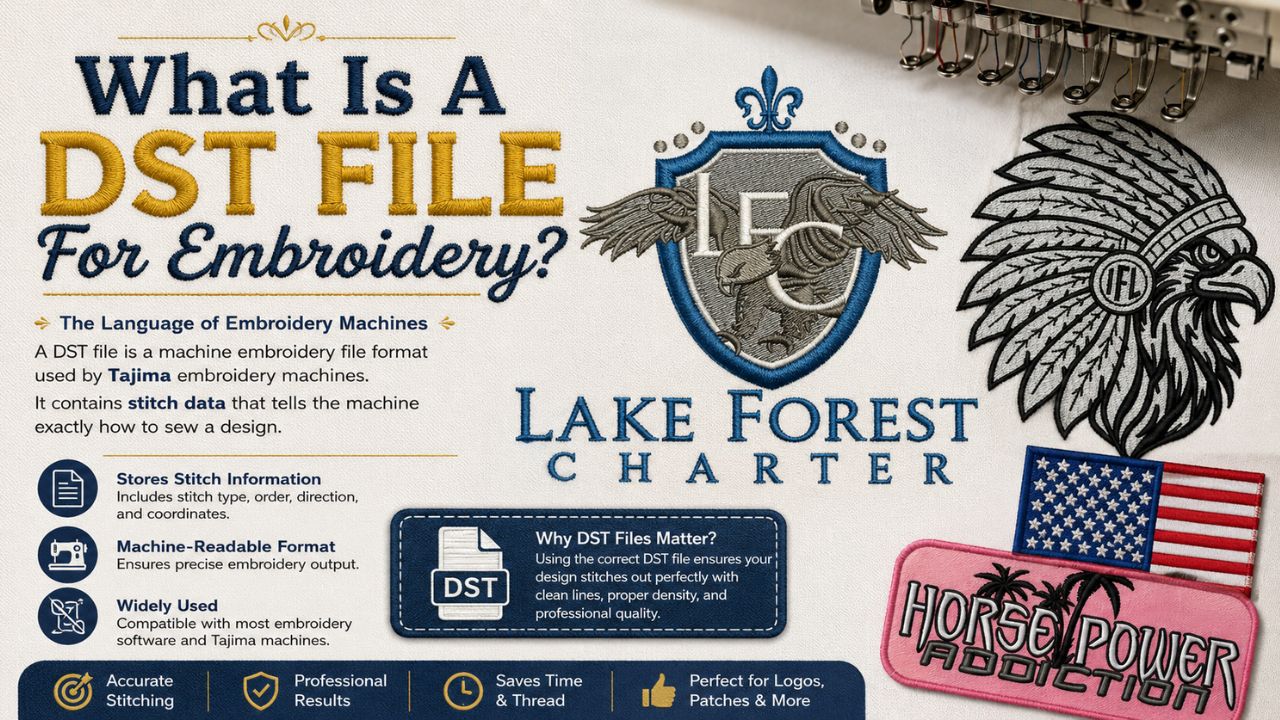
What is a DST file for embroidery? It is a set of machine instructions, not a picture of your logo. A DST file tells the needle exactly where to move, when to jump and when to stop for a thread change. So if your embroiderer asked you for one, they were not asking for artwork. Open one in a text editor and you will see nothing but binary noise.
Quick answer
A DST file is a machine embroidery stitch file created by Tajima. It stores a 512 byte header plus thousands of 3 byte records holding relative needle movements and machine commands. It carries no colours, no vector shapes and no preview image.
What Is a DST File for Embroidery?
DST stands for Data Stitch Tajima. Tajima, the Japanese machine manufacturer, created the format in the late 1980s as a digital replacement for paper punch cards. Because almost every commercial machine and every digitizing program can read it, the DST file became the closest thing the embroidery industry has to a universal standard.
The important thing to understand is what kind of file it is. A JPG or a PNG stores pixels. An AI or an EPS stores vector shapes. A DST file stores a needle path. Consequently you cannot open it in Photoshop, and there is no picture inside it to recover.
One more warning before you go hunting through your downloads folder. AutoCAD also uses a .dst extension for sheet set files, and they have nothing to do with embroidery. Check the file size and the source before you send anything to your embroiderer.
What Is Actually Inside The File
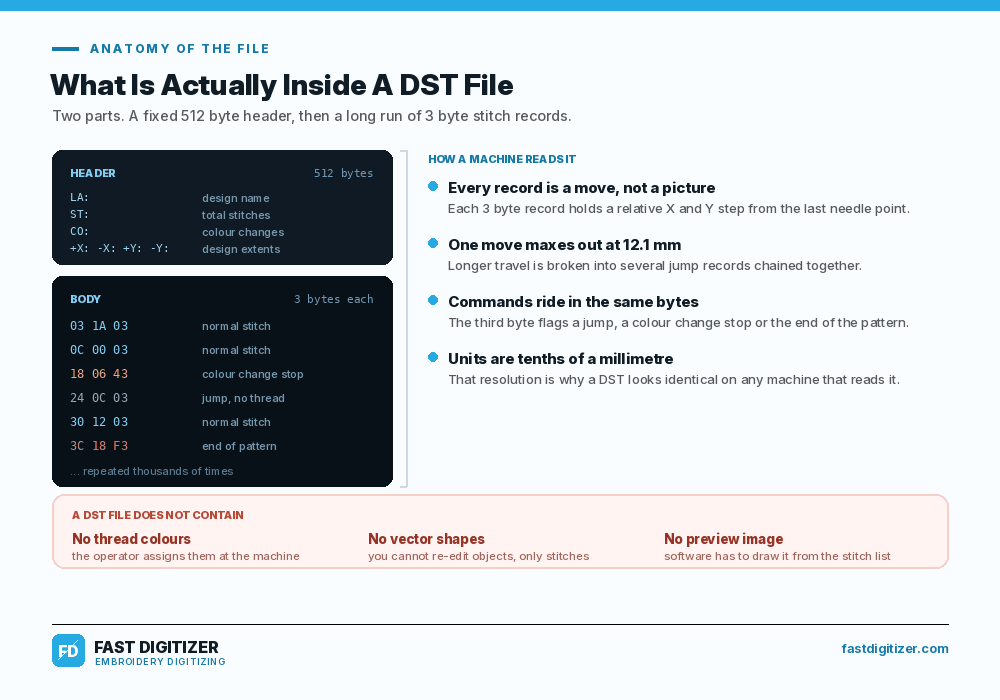
A DST file has exactly two parts. First comes a fixed header of 512 bytes holding plain text metadata. After that comes the body, a long run of three byte records that the machine executes one after another until it reaches the end command.
The 512 byte header
The header uses labelled fields written as two letters and a colon. LA holds the design name, ST holds the total stitch count and CO holds the number of colour changes. Four more fields record the design extents as +X, -X, +Y and -Y, which is how a machine works out whether the design fits your hoop.
Only about 125 bytes actually carry data. The rest is padded with spaces so the header always lands on exactly 512 bytes. That rigidity looks wasteful today, although it is precisely why forty year old files still load on brand new machines.
The three byte stitch records
Each record holds a relative X and Y movement from wherever the needle currently sits, measured in tenths of a millimetre. A single record cannot move further than 121 units, which works out to 12.1 mm. Therefore any longer travel gets broken into several jump records chained together.
The third byte also carries flags. Those flags tell the machine whether this is a normal stitch, a jump with no thread, a colour change stop or the end of the pattern. In other words, the commands and the coordinates share the same three bytes.
What The Format Does Not Contain
This is where most confusion starts. A DST file holds no thread colours, so the operator assigns them at the machine at every colour stop. It holds no vector objects, so nobody can reopen it and edit a shape properly. It also holds no preview image, which is why software has to redraw the design from the stitch list before you can see it.
Tajima never published a formal specification either. Everything the industry knows about the internals comes from decades of reverse engineering by open source projects. You can read a detailed technical breakdown on the EduTech Wiki DST format page if you want the byte level view.
How to Get a DST File for Your Design
There is no button that turns artwork into a DST file. Someone has to digitize it, which means redrawing the design as stitch objects and setting the density, the underlay, the pull compensation and the stitch order by hand. Only then does the software export the DST.
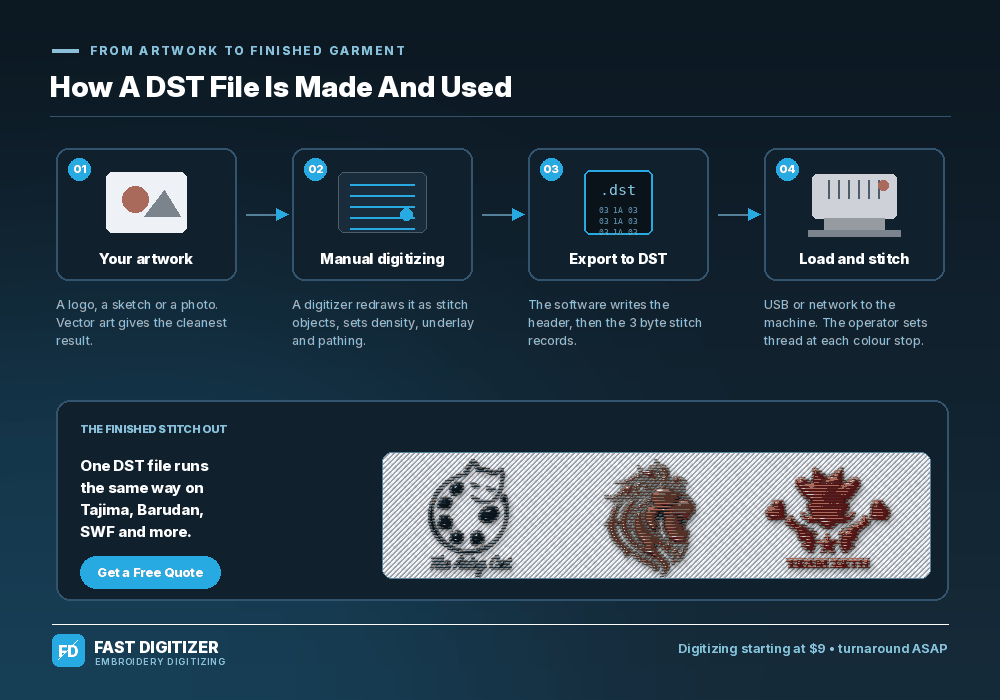
Three realistic routes exist. Buying digitizing software means months of learning rather than a weekend of practice. Auto digitizing tools do produce a file, although the output usually needs so much cleanup that it costs more time than it saves. The third route is sending your artwork to a digitizer and getting a production ready file back.
Whichever route you pick, send the cleanest artwork you have. Vector files work best because the edges are already mathematically defined. If all you have is a photo or a screenshot, our guide on how to convert a JPG into an embroidery file explains what happens next and what we need from you.
DST vs PES, JEF, EXP and VP3
DST rules commercial embroidery, but it is not always the right file for your machine. Home and prosumer machines usually want their own native format, which carries thread colours and hoop limits that DST simply does not store.
| Machine brand | Usual format | Carries colours? |
|---|---|---|
| Tajima, Barudan, SWF, Happy, Ricoma | DST | No |
| Brother, Baby Lock | PES | Yes |
| Janome, Elna | JEF | Yes |
| Bernina | EXP or ART | Varies |
| Pfaff, Husqvarna Viking | VP3 | Yes |
| Melco | EXP | No |
Formats also vary by model, not just by brand. Above all, check your machine manual before you accept a file. If you are on a Brother machine and someone sent you DST instead of PES, our note on the Brother PES file converter covers what actually happens during that swap.
Common Problems With The DST Format
Most DST complaints are not really file corruption. They are the format doing exactly what it was designed to do, which surprises people who expected an editable design file.
- The colours are wrong. They were never in the file. Ask your digitizer for a colour sheet listing the sequence, then set the threads at each stop.
- The design will not resize. Density and stitch length are baked in. Small changes survive, but stretch a stitch file far and the fill either gaps or turns into a brick.
- Nothing shows a preview. There is no thumbnail inside a DST file. Use a viewer such as Ink/Stitch, Embird or your machine screen.
- The machine reports the wrong stitch count. The ST field in the header counts jumps and colour changes too, not only needle penetrations.
- It will not fit the hoop. Compare the +X, -X, +Y and -Y extents against your hoop before you load it, since those numbers are the actual design bounds.
Notice that none of these are fixable after export. They are decisions made during digitizing, which is why the quality of the person who digitizes a logo for embroidery matters far more than the format you receive it in.
Can You Convert a JPEG to a DST File?
Not directly, no. A JPEG holds pixels and a DST file holds needle movements, so there is nothing to translate one into the other. Auto conversion tools exist, and they do produce a file, but they trace edges blindly without understanding fabric, pull or stitch direction.
What actually happens is redrawing. A digitizer looks at your JPEG, rebuilds each shape as a stitch object, chooses satin or fill for every element, adds underlay and then sequences the whole thing to minimise trims. The JPEG is a reference, not a source file.
What DST Digitizing Costs
Price follows complexity and size rather than the format itself. A simple left chest logo costs less than a detailed jacket back with small lettering, because the stitch count and the object count both climb.
At Fast Digitizer, digitizing starts at $9 and turnaround is ASAP. You receive the DST plus any other format your machine needs, along with a worksheet listing the colour sequence, the stitch count and the finished size. Our custom embroidery digitizing options cover caps, applique and 3D puff files from the same artwork.
Need a DST file?
Send your logo and tell us your machine. We will send back the right format with a full colour sheet.
Frequently Asked Questions
How do I create a DST file for embroidery?
You create one inside digitizing software such as Wilcom, Hatch, Embird or Ink/Stitch. Import your artwork, rebuild each element as a stitch object, set density and underlay, sequence the colours, then export as DST. The software writes the header and the stitch records for you.
Where can I find free DST files for embroidery?
Free libraries exist, including Ink/Stitch sample designs and community sites, though the quality varies a lot. More importantly, most free designs are licensed for personal use only. Always check the licence before you stitch anything for sale, and never assume a brand logo is free to use.
Where can I find DST files for embroidery?
Paid marketplaces sell ready made DST designs, and many digitizing studios sell single files. However, if you need your own logo rather than a generic design, no library will have it. That case always needs custom digitizing from your artwork.
What is the best file format for embroidery?
There is no single best one. DST is best for commercial multi needle machines and for moving files between shops. PES, JEF or VP3 are better on home machines because they carry thread colours. Ask your digitizer for both, since a good one sends every format you need.
About Fast Digitizer. We are an embroidery digitizing studio based in Chicago, producing DST, PES, JEF, EXP and VP3 files for embroiderers across the United States. Every file is manually digitized and delivered with a colour sequence sheet. See our full range of professional embroidery digitizing services or send your artwork for a free quote.